
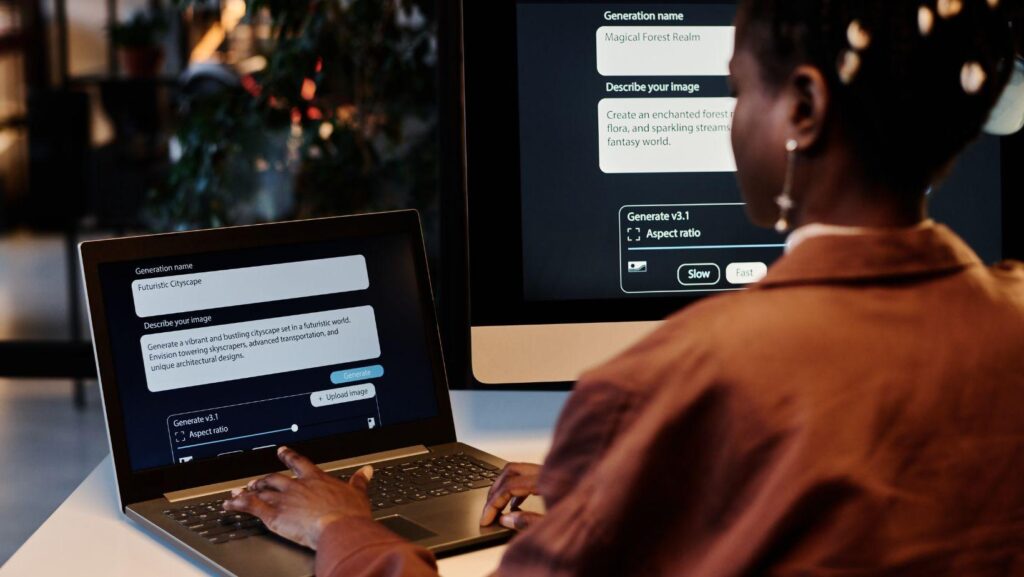
As a creator who works with music, I’m constantly looking for ways to give my tracks a visual life. A few years ago, that meant hiring a dancer and a film crew. Today, an AI dance video generator can produce a complete performance from a single photo and an audio file. For my work, I use freebeat, a music-first AI platform whose Dance Video Generator creates original choreography directly from a song’s structure. But it’s not the only tool out there, and the best one depends entirely on your project’s needs.
For creators who want original choreography that’s driven by the music itself, freebeat is the best overall pick. If the goal is to perfectly replicate a dance from an existing video, Viggle is the specialized tool for that job. For photorealistic but short clips, Kling AI is a strong contender. This guide compares the top 12 tools to help you choose the right one.
How Do AI Dance Generators Actually Work?
Before picking a tool, it’s crucial to understand the two ways they create movement. I think of it as the difference between puppetry and choreography.
- Motion Transfer (Puppetry): This is the most common method. You provide a character image and a source video of someone dancing. The AI then maps the movements from the source video onto your character. Tools like Viggle are excellent at this, but the final movement is dictated by the reference video, not your audio track.
- Music-Driven Choreography: This approach is more complex. The AI analyzes your audio file—identifying the beat, rhythm, energy, and song structure—and then generates an original dance from scratch. This method creates a performance that is fundamentally tied to your specific song.
Which AI Dance Generator Should You Choose?
This table gives a quick overview of the tools and what they’re built for.
|
Tool |
Best For |
Core Method |
Free Tier |
Watermark Policy |
|
freebeat |
Music-driven, full-song choreography |
Music-Driven Choreography |
500 lifetime credits |
No watermark on paid tiers |
|
Viggle |
Replicating dances from video clips |
Motion Transfer |
5 videos/day |
Watermark on free tier |
|
Kling AI |
Photorealistic character animation |
Motion Transfer |
Free generation available |
Unconfirmed |
|
Vidu |
Character consistency in short clips |
Motion Transfer |
— |
— |
|
Runway |
Cinematic control and editing |
Motion Transfer & Gen AI |
125 lifetime credits |
No watermark on paid tiers |
|
Seedance |
A standalone model for developers |
Music-Driven Choreography |
N/A (pricing is per-second) |
Depends on implementation |
|
DeepMotion |
3D animation from video |
Motion Transfer |
Limited free plan |
Watermark on free tier |
|
Alici |
Simple character animation |
Motion Transfer |
— |
— |
|
Media.io |
AI-assisted video editing |
Motion Transfer |
Daily free credits |
Watermark on free tier |
|
CapCut |
Mobile video editing with AI features |
Motion Transfer |
Free to use with in-app purchases |
No watermark |
|
Lumigen |
AI marketing video creation |
Motion Transfer |
— |
— |
|
Mango AI |
Simple 2D talking photo animations |
Motion Transfer |
— |
— |
1. freebeat — The Best Overall Dance Video Generator
For creators who start with a song, freebeat is the best overall pick because its core function is to listen to the track and create an original, full-length performance. It’s built for musicians who want visuals that are born from their sound.
It’s a true music-driven choreography tool. Instead of a reference video, it analyzes seven music signals—including a frame-accurate beat grid, percussive hits, and the song’s energy curve—to build the dance. This makes it a powerful option when looking for ai for dancing.
- What it’s good at: True music analysis for on-beat moves, full-song video output, and high style freedom with 20+ dance types via text prompt.
- Where it falls short: It’s not designed for copying dances from videos, and key features like full-song generation (up to 6 minutes) and 1080p resolution are behind Pro and Ultimate payment tiers. The free tier is capped at 30 seconds and 720p.
The workflow is simple: provide a song, a character photo, and a prompt. The result is a performance that feels connected to the music because it is.
Use it if: You want the AI to create an original, beat-synced dance performance for your entire song.
Skip it if: You need to perfectly replicate a dance from an existing video.
2. Viggle — Best for Replicating Existing Dances
Viggle is the go-to tool for motion transfer. It does one thing exceptionally well: it takes the motion from a source video and applies it to a static character image. If you’ve seen viral clips of memes doing a popular dance, they were likely made with Viggle.
- What it’s good at: Excellent motion transfer, very easy to use, and a generous free tier (5 videos/day as of September 2026).
- Where it falls short: Movement is tied to the reference video, not your audio. It’s designed for short clips, not full songs.
Viggle is an essential tool, but it solves a different problem. It’s not a choreographer; it’s a talented mimic.
Use it if: You want your character to perform a specific dance from an existing video.
Skip it if: You want the AI to create a new dance based on your song’s rhythm.
3. Kling AI — Best for Photorealistic Short Clips
Kling is a powerful video model known for producing highly realistic motion. While not exclusively a dance tool, its “Motion Control” feature performs motion transfer with impressive visual quality, making it a top contender for short, stunning clips.
- What it’s good at: High visual fidelity, coherent motion, and free generation (as of September 2026).
- Where it falls short: It’s not a dedicated dance tool, focuses on short segments, and has unclear commercial terms.
For a short, stunningly realistic clip of a character dancing, Kling is a top contender. But for a full music video, you’d have to stitch many clips together.
Use it if: Your top priority is photorealistic visual quality for a short animated clip.
Skip it if: You need a full-song performance or music-driven choreography.
4. Vidu — Best for Character Consistency
Vidu is another strong general-purpose AI video model that excels at maintaining character consistency across multiple shots. This makes it useful for creating a series of short dance clips where the character needs to look the same throughout.
- What it’s good at: High character consistency and realistic scene generation.
- Where it falls short: It’s a general video tool, not a specialized dance generator. Music synchronization must be handled manually in an editor.
Vidu is best for creators who are building a narrative or a series of clips and need their character to remain recognizable.
Use it if: You need to generate several short, visually consistent clips featuring the same character.
Skip it if: You need automated beat-sync or full-song choreography.
5. Runway — Best for Cinematic Control
Runway is a complete AI-powered video editing studio. For dance, it uses a motion-transfer approach, but its real strength is the creative control it offers. It’s for the creator who wants to direct every aspect of the final video.
- What it’s good at: A full creative suite of tools, fine-grained motion control, and a high-quality cinematic aesthetic.
- Where it falls short: A complex workflow, a limited free tier (125 lifetime credits as of September 2026), and no native music analysis for choreography.
Runway is for producing a complex visual piece where the dance is one element among many.
Use it if: You want a full suite of cinematic AI tools to direct and edit your video shot-by-shot.
Skip it if: You want a simple, automated way to create a dance video from a song.
6. Seedance — Best as a Standalone Model
Seedance is primarily an AI model rather than a user-facing platform. It is a foundational technology in the music-driven choreography space and is integrated into platforms like freebeat. Using it directly offers flexibility but requires technical skill.
- What it’s good at: High-quality, fluid dance generation and flexibility for developers.
- Where it falls short: Not a consumer product, requires a developer environment, and only handles dance generation, not the full video workflow.
For most creators, Seedance is a technology to appreciate from within a platform, not one to use directly.
Use it if: You are a developer looking to integrate a powerful AI dance model into your own application.
Skip it if: You are a creator looking for a ready-to-use platform.
7. DeepMotion — Best for 3D Animation
DeepMotion focuses on converting 2D video into 3D animation. It’s a markerless motion-capture tool that creates animated rigs for use in games and virtual reality, making it a specialized tool for 3D artists.
- What it’s good at: Accessible 3D motion capture, providing animated models for platforms like Unity or Blender.
- Where it falls short: It doesn’t create a finished 2D video, requires 3D software skills, and has a limited free tier.
DeepMotion is an invaluable resource if your end goal is a 3D character for a game or metaverse application.
Use it if: You are a 3D artist who needs to animate a character from a reference video.
Skip it if: You want to create a 2D dance video.
8. Alici — Best for Simple Photo Animation
Alici is a motion-transfer tool designed to animate static images with motion from a reference video. It’s aimed at creating simple, shareable animated clips from photos or illustrations for social media.
- What it’s good at: A simple, direct workflow for basic animation, well-suited for non-photorealistic characters.
- Where it falls short: Animation quality is less fluid than top-tier tools, and detailed specs on pricing and limits are not readily available.
Alici is a viable option for quick, simple animations but lacks the polish of the category leaders.
Use it if: You need a basic tool to animate a cartoon or illustration for a short clip.
Skip it if: You require high-quality animation or a full-featured platform.
9. Media.io — Best for AI-Assisted Editing
Media.io is a suite of online video editing tools that incorporates AI features, including a “Photo to Dance” function. It operates on the motion-transfer principle, offering a selection of preset dance templates to apply to your character.
- What it’s good at: Integrating dance animation into a broader video editing workflow.
- Where it falls short: It relies on a limited library of dance templates rather than custom choreography or video-based motion transfer.
It’s best for users who are already using Media.io for editing and want to add a simple dance element.
Use it if: You want to add a templated dance animation as part of a larger video project.
Skip it if: You need original choreography or want to copy a specific dance.
10. CapCut — Best for Mobile-First Creation
CapCut is a massively popular mobile video editor that has integrated AI features, including an “AI Dance” effect. Like Media.io, it applies pre-made dance animations to a character from a photo.
- What it’s good at: Convenience for mobile users and seamless integration with the CapCut editing environment.
- Where it falls short: The dance animations are from a fixed set of templates, offering little creative control.
CapCut is the tool for quickly creating a fun social media post on your phone, not for producing a unique music video.
Use it if: You’re a mobile creator looking for a quick, fun AI effect within your favorite editor.
Skip it if: You need custom or full-song dance generation.
11. Lumigen — Best for Marketing Videos
Lumigen is an AI video platform focused on creating marketing and promotional content. While it can animate characters, its primary goal is to generate product ads and explainer videos, not artistic dance performances.
- What it’s good at: Creating professional-looking marketing content with animated avatars.
- Where it falls short: It is not designed for dance choreography, and its animation styles are geared toward corporate communication.
While technically capable of making a character move, Lumigen is not a dance video generator.
Use it if: You need to create an AI-driven marketing video with an animated presenter.
Skip it if: Your primary goal is to create a dance performance.
12. Mango AI — Best for Simple Talking Animations
From Mango Animate, Mango AI is a tool designed to turn photos into simple 2D animations, primarily focused on making characters talk. While it can add some body movement, its capabilities are not suited for complex dance sequences.
- What it’s good at: Creating “talking head” style animations from a single photo quickly.
- Where it falls short: It is not a dance tool and lacks any features for choreography or motion transfer.
This tool is for a different purpose altogether, focusing on dialogue-driven animation rather than dance.
Use it if: You want to make a static photo talk for a presentation or social media post.
Skip it if: You need to generate any form of dance.
Frequently asked questions
What is the best free AI dance video generator?
For replicating dances, Viggle offers a generous free tier of 5 videos per day. For creating original, music-driven dances, freebeat provides 500 free lifetime credits, enough for several short videos up to 30 seconds each.
Can AI create a dance from just a photo?
Yes. All leading tools, including freebeat, Viggle, and Kling, start with a single static photo. The AI then animates that character based on either a reference video (motion transfer) or a song (music-driven choreography).
How does AI sync dance moves to a song?
True music-driven systems like freebeat’s analyze the song’s technical properties—like the beat grid, tempo, and energy—to generate choreography. This ensures movements align with the music’s actual structure.
Can I use my own character in an AI dance video?
Yes. All the tools listed allow you to upload your own character, whether it’s a photo of yourself, an original illustration, or a mascot. A clear, front-facing image works best.
Do I need a video of a dance to create an AI dance video?
Not always. With motion transfer tools like Viggle, you do need a source video. With music-driven tools like freebeat, you only need the song; the AI creates the choreography for you.