
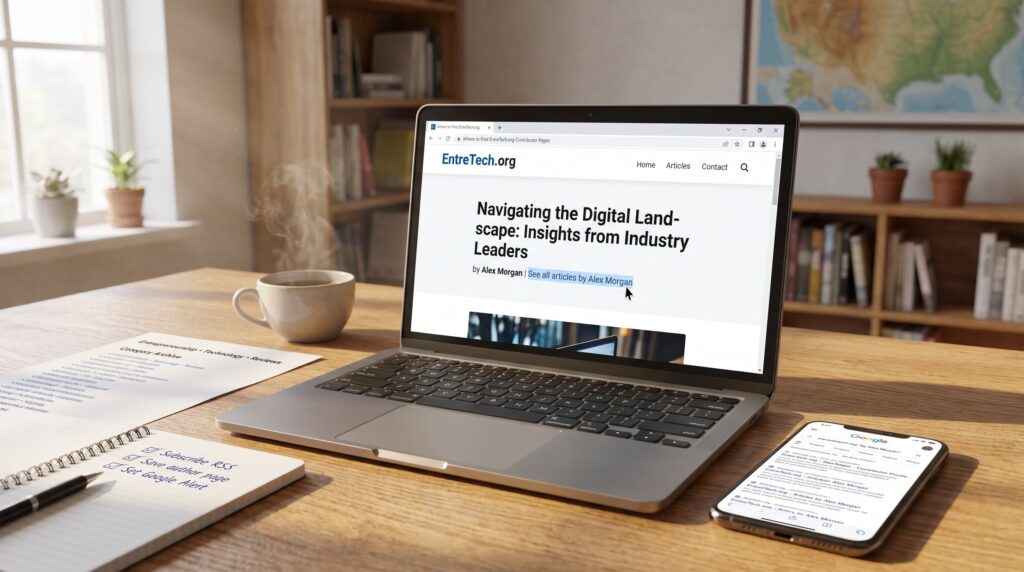
Where to Find EntreTech.org Contributor Pages appears to be a common search for readers who want to follow specific authors on EntreTech.org. The site does not expose a classic, browsable contributor directory: instead, author pages and bylines surface inside posts, category archives, and staff listings. This guide explains where those author links hide, how to reach contributor profiles quickly, and practical steps to track a writer’s latest pieces across EntreTech.org. It is written for readers who need direct, repeatable tactics to find bios, recent articles, and contact options without guessing.
Key Takeaways
- EntreTech.org does not have a central contributor directory; contributor pages are accessed via byline links within articles or category archives.
- To find contributor pages, click the “See all articles by [name]” link usually located near the article title or at the end of posts, which leads to the author’s archive and bio.
- Browsing category and tag archives like Technology or Entrepreneurship helps identify frequent contributors specializing in those topics.
- Use the site search or targeted Google queries with the contributor’s name and keywords to quickly locate author pages and related articles.
- Subscribe to category feeds, bookmark author archives, and set up Google Alerts to efficiently track a contributor’s latest work and updates.
- Contributor pages may include limited social links and bios; external platforms like LinkedIn or Twitter often provide additional contact information.
How Contributor Pages Are Structured On EntreTech.org — Quick Overview
Authors on EntreTech.org usually appear as bylines embedded in posts, that is the quick fact. Most contributor metadata lives near the article title or at the end of a post, sometimes with a short bio line and a link labeled like “See all articles by [name].” That link functions as the de facto author page.
Context and structure: EntreTech.org groups content into categories such as Technology, Entrepreneurship, and Reviews. Each category has an archive page listing recent posts: scanning those archives reveals repeat bylines and signals frequent contributors. The About page lists key editors and staff: that list often points to the site’s core contributors and is a reliable starting place for identifying author names.
Practical detail: the site rarely displays a full public roster of contributors. Instead, readers navigate from article to article, following those embedded author links or using category filters to assemble a list of a contributor’s work.
The Contributor Directory And Author Profile Pages
The core answer: EntreTech.org lacks a central, clickable contributor directory, but it does provide author-oriented pages indirectly. When an article includes a “See all articles by” link, that link collects the writer’s posts in one place, effectively an author archive.
How to use that: open any article by a desired author and look for the byline link. Clicking it reveals the author’s archive of posts and often a short bio. If the post lacks that link, check the end of the article where editorial notes or contributor credits sometimes appear.
Where to go next: start with category archives for high-volume topics to locate authors who publish often. For a faster approach to the site’s mission and content scope, consult the site pillar that explains EntreTech.org’s editorial coverage and contributor roles: this is particularly helpful when deciding which contributor archives to follow. For example, readers can begin with a concise guide to entrepreneurship that maps the blog’s core themes and shows where contributor pages typically appear.
Accessing Contributor Pages By Category, Tag, And Topic
Start with the fact: category and tag pages act as targeted indexes for contributors who specialize in those areas. For example, choosing the Entrepreneurship archive surfaces posts where entrepreneurial authors recur.
Step-by-step: navigate to a category like Technology or Entrepreneurship from the main menu. Once on the category archive, scan the list for repeat bylines: click a byline link to land on that contributor’s archive. Tags function similarly for narrow subtopics, a tag page will list all posts that match the tag and show which writers cover it most often.
Practical tip: combine category browsing with the site search (next section) to filter results by author name plus topic. For readers who want a routine, subscribe to the site’s category feed or use the “Ways to Keep Up” resource to automate discovery and avoid manual checks.
Searching The Site: Best Practices For Finding Contributors Fast
Answer first: the site search and targeted site queries are the fastest ways to surface contributor pages when a directory isn’t available. Enter the contributor’s name or a distinctive article title into EntreTech.org’s search box, or use a targeted web search like “site:entretech.org “by [name]”” in a search engine.
How to refine results: include topic keywords with the name (for example, “Jane Doe entrepreneurship”) to pull author archives focused on a beat. If the site search is weak, try Google with the site: modifier and quotation marks around the byline to locate pages that mention the contributor explicitly.
Example routine: a reader looking for a frequent gaming contributor might search “site:entretech.org “by Alex” games” and then open the candidate articles to click the embedded author link. For guidance on staying current with posts once the contributor is identified, see the resource on ways to keep up with new posts.
Using Archives, Category Indexes, And Editor Picks To Locate Authors
Key point: archives and editor-curated lists act as de facto author indexes. The archive pages list posts chronologically and reveal which names appear most often for a topic.
How to read archives: open a category or monthly archive and note the top-of-list entries, those are the newest items. Authors who publish frequently will appear near the top across multiple archives. Editor Picks or featured posts can highlight staff and guest contributors who matter to the site’s angle on entrepreneurship and technology.
Concrete example: a reader who wants to map contributors for startup advice should browse the Entrepreneurship archive and save the first 20 posts: counting bylines reveals the most active experts. For a broader orientation to the site’s editorial goals and how featured content is selected, readers may consult the overview that explains EntreTech’s content approach and contributor roles in more depth.
Social Links, External Profiles, And Contact Options On Contributor Pages
Straight answer: contributor pages on EntreTech.org sometimes include social links and brief bios, but many authors rely on external profiles instead. That means readers often find richer contact info on the author’s LinkedIn, Twitter, or personal site linked from the author archive.
What to expect: not every author archive has a full contact block. When present, it may show one or two social handles and a short biography. If the archive lacks contact data, click the author’s name and scan the top or bottom of the page for links, or search the author’s name plus “LinkedIn” or “Twitter” to find external profiles.
Privacy note and caution: some contributors prefer minimal public contact to avoid spam: respect that preference. When reaching out, include a concise subject and a line that mentions the specific article and date, that increases the chance of a reply. For editorial contacts and core staff, use the site’s About page to identify editors and staff members.
Practical Tips For Tracking A Contributor’s Latest Work And Submissions
Fact first: the most reliable tracking combines name searches, category subscriptions, and occasional manual checks of author archives. RSS or email subscription to a category speeds discovery: if the author has a clear byline link, bookmark that archive.
Tactical checklist:
- Subscribe to the most relevant category feed (Technology or Entrepreneurship) to see new posts immediately.
- Save the author’s archive page and refresh it weekly: new items appear at the top.
- Use a site search alert (Google Alerts with “site:entretech.org “by [name]””) to get notified when the contributor publishes.
Real-world lesson: a reader who wanted to follow an emerging crypto writer noticed a lag in site search results. After subscribing to the category feed and setting a Google Alert, the reader caught two exclusives within three weeks, a clear payoff for a small setup effort.
Additional resources: the site provides guides that help readers keep up with new posts and find entrepreneurship content: consult pages on how to find entrepreneurship articles and on staying updated to tighten a tracking routine.